The Maintenance menu allows you to monitor the status of your cabinet’s key components in real time. This visibility and regular maintenance extend the device’s lifespan, ensure reliable cycles, and maintain a high level of hygiene for your equipment.
Each component has its own dedicated submenu:
- Filter
- Generator
- Heater
- Fans (main and extraction)
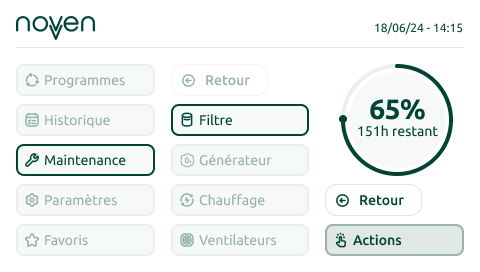
Remaining Lifespan
By selecting a component, you can view its remaining lifespan, expressed as a percentage and in hours.
Alertes
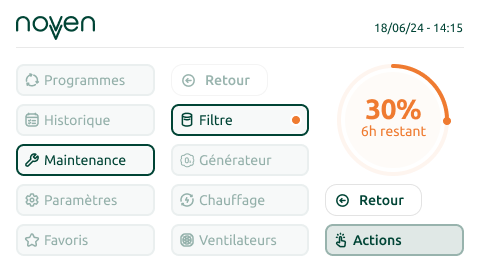
Below the configurable threshold
When a component’s remaining lifespan falls below the configurable threshold, an orange indicator will appear next to its name.
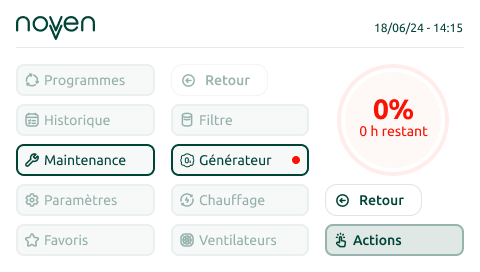
End of Life
If a component has reached its end of life and needs to be replaced, a red indicator will appear next to its name.
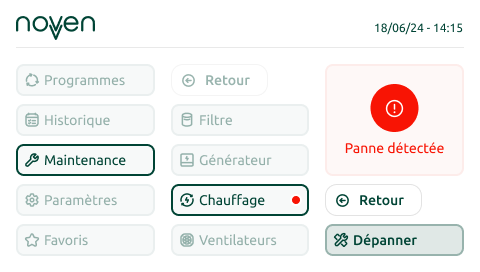
Malfunction Detected
If one of the components has malfunctioned, a red indicator will appear next to its name.
What to Do in Case of Alerts (Orange or Red Indicators)?
Select Actions or Troubleshoot in the right-hand column. This will give you information on how to order, replace, or troubleshoot the component. A QR code will also appear, redirecting you to the resource center to view the appropriate guides or begin the process of ordering a new component.
Special Case: The Fans
Your cabinet is equipped with two fans. The main fan ensures proper air circulation during the treatment process, while the extraction fan is responsible for evacuating air through the filter. For maximum traceability, each fan has its own status monitoring and distinct alerts.