Thresholds
In the Settings menu, by selecting the THRESHOLDS tab, you can define and customize alert thresholds indicating the end of life of the filter and/or the generator.
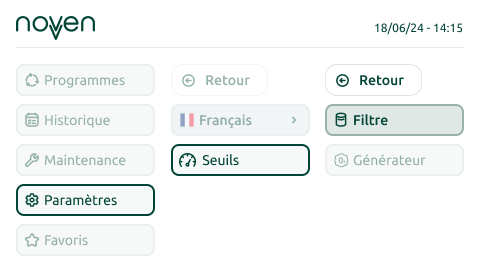
Default settings:
- Filter alert threshold: 30% remaining life
- Generator alert threshold: 20% remaining life
You can adjust these thresholds up or down by clicking the arrows. These settings reflect your desired level of responsiveness to component replacement.
Examples:
- If you have filters or generators in stock, you can lower the alert threshold.
- On the other hand, if restocking is necessary, it’s better to increase the alert threshold to anticipate delivery times.
Languages
In the Settings menu, by selecting the LANGUAGES tab, you can set and customize the language of the cabinet.
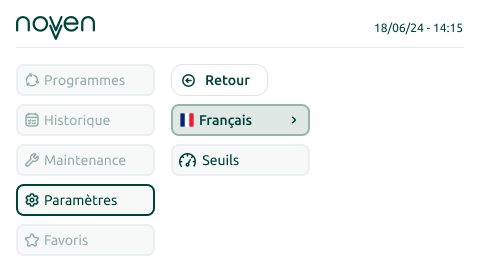
- Select Language in the Settings menu.
- Use the up and down arrows on your keyboard to find your preferred language: French, English, Spanish, or Portuguese.
- Confirm your choice by pressing the “Confirm” button.
- The cabinet will instantly switch to the selected language.